What if you could turn your app idea into a real Android application without spending months learning to program?
No computer science degree.
No expensive development team.
No endless programming courses before you can even begin.
Just an idea, a computer, and Claude Code helping you turn plain-English instructions into working software.
For years, building an Android app meant learning complicated programming languages, installing intimidating development tools, and figuring out how hundreds of technical pieces fit together.
But AI-assisted development is changing what's possible for beginners.
Today, you can describe the app you want, guide Claude Code through the development process, and test what you're building on an actual Android phone.
You bring the idea. Claude helps write the code. You direct the result.
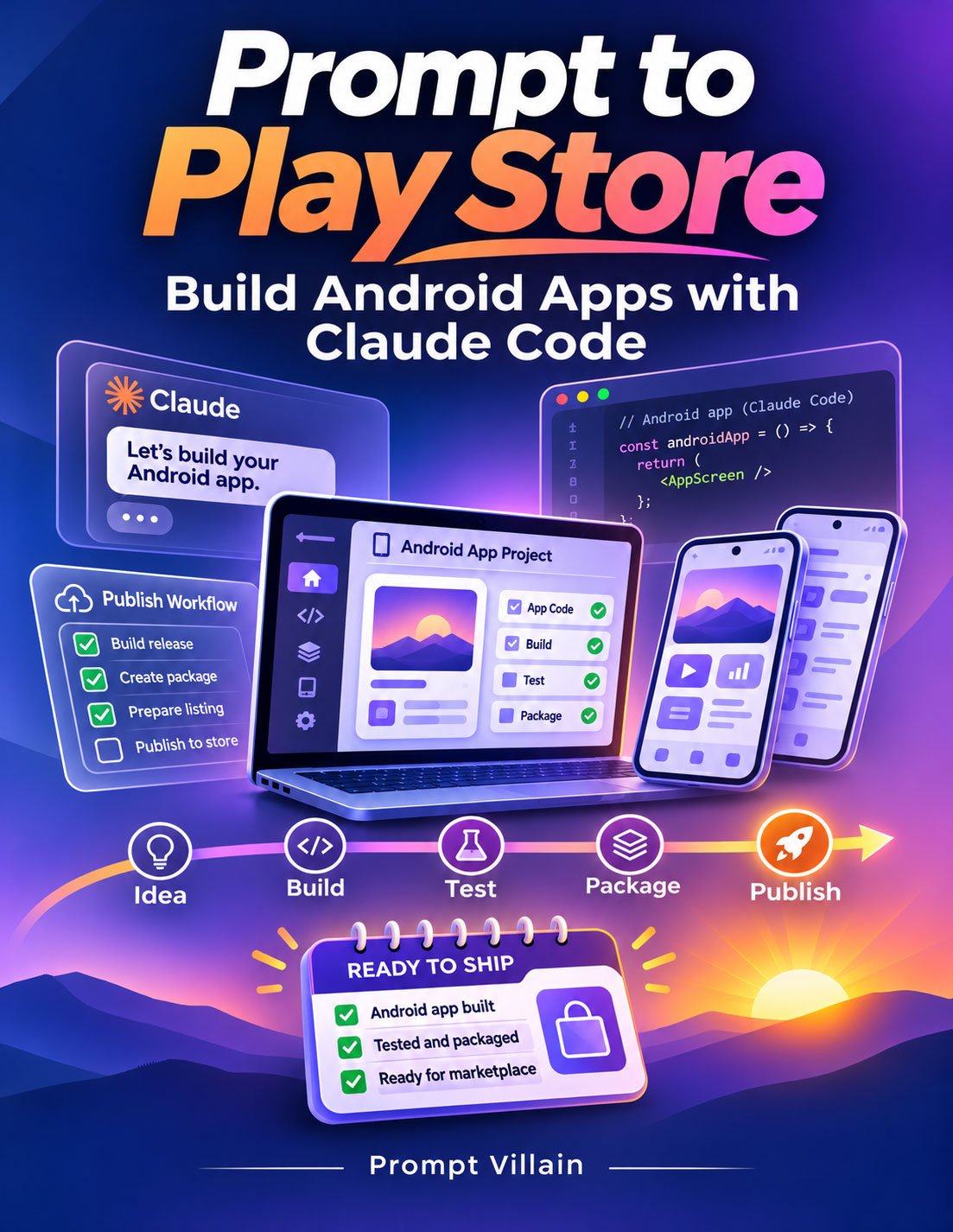
And Prompt to Play Store: Build Android Apps with Claude Code shows you how to take that idea from the first prompt toward a real Google Play release.
Stop Saying "Someone Should Make an App for That."
How many times have you had an idea for an app?
Something that would make your work easier.
A simple tool that solves an everyday problem.
A calculator designed for your particular industry.
A tracker that works exactly the way you want.
Or a useful little application that other people might appreciate, too.
The idea might be simple.
But the technical barriers always made it seem out of reach.
You'd need to learn Java or Kotlin.
Understand Android Studio.
Figure out how to build screens, save information, handle errors, and create a release.
And then somehow navigate the Google Play publishing process.
That's enough to stop most people before they ever start.
Prompt to Play Store gives you a different starting point.
Instead of beginning with programming lessons, you'll begin with a clear idea and a step-by-step development workflow.
You'll learn how to use Claude Code to help create a working Android app, test it on your phone, prepare it for distribution, and navigate the steps toward publishing.
No previous coding experience required.
From Idea to Android App — One Step at a Time
This isn't a book about becoming a professional Android developer.
It's about getting your first manageable app built.
You'll learn how to choose the right tools, describe what you want, guide Claude through development, troubleshoot problems, and prepare your creation for the Google Play marketplace.
And rather than getting overwhelmed by giant projects, you'll learn to start with small, focused applications that solve real problems.
Think practical tools like:
- A tip calculator or bill splitter
- A habit tracker
- A plant-care reminder
- A shift-pay calculator
- A water-intake tracker
- A workout log
- A specialized unit converter
- A quiz or learning tool
You don't need to build the next Instagram.
You need to build something useful that actually works.
That's where the real learning begins.
What's Inside Prompt to Play Store?
1. Discover the Easiest Way to Build Your First Android App
Learn the difference between traditional native Android development and a beginner-friendly alternative using Expo and React Native.
Discover why starting with Expo can make testing and development much more approachable, while keeping the door open to additional platforms later.
2. Choose an App Worth Finishing
Explore 10 practical first-app ideas and learn how to avoid projects that are too large, too complicated, or likely to create problems during publishing.
You'll also learn how to write a simple app brief that tells Claude exactly what you're trying to build.
3. Set Up Claude Code and Your Development Tools
Get practical guidance for preparing your computer, creating an Expo project, and previewing your app on an Android phone using Expo Go.
You'll learn how to work with Claude one step at a time instead of struggling through a wall of technical instructions.
4. Build Your Application Screen by Screen
Follow a clear development process covering planning, building your main screen, adding features, saving data, and improving the appearance.
Learn how to test real-world situations, identify bugs, and save working checkpoints so a bad change doesn't have to ruin your progress.
5. Prepare Your App for Google Play
A working app is only part of the job.
Learn what goes into preparing an app for the marketplace, including:
- App names and icons
- Screenshots and feature graphics
- Store descriptions
- Privacy policies
- Data safety information
- Content ratings and permissions
- App package identifiers
You'll learn how Claude Code can assist with preparing these materials while keeping your store listing accurate.
6. Create Your Android Release Build
Discover how to prepare an Android App Bundle using Expo's EAS Build service.
Understand the essentials of release configuration, app signing keys, and creating a package suitable for submission to Google Play.
7. Navigate the Google Play Publishing Process
Learn how to create a developer account, set up your application in Play Console, upload your release, and work through testing requirements.
You'll also discover what to do when your app receives feedback or requires changes before production release.
8. Learn What Happens After Launch
Getting your app published isn't the end.
Explore practical ways to find early users, collect feedback, release improvements, and consider future monetization opportunities.
Includes a Practical 14-Day Development Plan
Instead of trying to learn everything at once, you'll have a clear sequence to follow.
Days 1–2: Choose your app, write your brief, install the necessary tools, and get your first project running on your phone.
Days 3–5: Build your application one screen at a time.
Day 6: Test, troubleshoot, and polish.
Day 7: Prepare your icon, screenshots, store listing, and privacy policy.
Day 8: Work on your developer account and release build.
Day 9 onward: Begin closed testing, gather real user feedback, and improve the application.
After completing the applicable testing requirements, you'll be ready to apply for production access and work toward publication.
Google Play testing periods, reviews, and approval requirements can extend beyond 14 days.
Follow a Realistic App-Building Example
The guide also includes a worked example following a beginner building ShiftPay, a practical application for calculating earnings from shifts with different hourly rates.
You'll see how a project moves from a simple written brief to working screens, automated tests, settings, store preparation, release builds, and closed testing.
The example also demonstrates an important lesson:
You don't need to know every technical answer. You need to know the problem you're solving and how to check whether the solution works.
Who Is This Guide For?
Complete beginners: You've never built an Android app and want a manageable way to get started.
Entrepreneurs: You have an idea for a small software product but don't want to hire a development team before testing it.
Creators: You want to turn useful concepts into interactive applications instead of limiting yourself to static digital products.
Freelancers: You're interested in learning how to create practical mobile tools that could eventually support client work.
Problem-solvers: You keep finding little annoyances that could be solved with a simple, purpose-built app.
Aspiring app publishers: You want to understand the actual steps between having an idea and submitting an app to Google Play.
Your First App Doesn't Have to Change the World.
It Just Has to Work.
There's a reason so many people never finish their first software project.
They try to build too much.
They get overwhelmed by technical details.
They spend more time planning than creating.
Or they get stuck trying to make everything perfect before anyone has even used it.
Prompt to Play Store takes a more practical approach.
Start small.
Build one screen.
Test it.
Improve it.
Add the next feature.
Save your progress.
Then prepare the application for real users.
The goal isn't to create a masterpiece on your first attempt.
The goal is to finish something real and learn the process well enough to do it again.
Once you've built one application, you've gained experience you can apply to the next.
And the next.
And the next.
Think Beyond Your First App
Imagine being able to create small applications for problems you've personally experienced.
A custom tool for your business.
A specialized calculator for an industry.
A simple productivity application.
An app designed around a hobby or community.
Over time, those skills could open the door to more ambitious projects, useful client services, or commercial applications.
Some apps may eventually generate revenue through paid features, subscriptions, advertising, or custom development work.
But that's a possibility to explore, not a guaranteed outcome.
The immediate opportunity is learning how to turn an idea into working mobile software.
And that's a capability worth developing.
The App You've Been Thinking About Isn't Going to Build Itself.
You can keep collecting ideas.
Keep wondering how difficult Android development might be.
Keep waiting until you have the time to learn programming.
Or you can start with one simple idea and let Claude Code help you work through the technical process.
Prompt to Play Store gives you the roadmap.
Inside this 19-page digital guide, you'll get:
- Eight beginner-friendly chapters
- 10 practical first-app ideas
- Step-by-step Claude Code instructions
- An Android development workflow using Expo
- Guidance for testing apps on a real phone
- Google Play preparation and publishing checklists
- Reusable troubleshooting and development prompts
- A 14-day action plan
- A worked example from concept to closed testing
- Troubleshooting help for common development and publishing problems
From Your First Prompt to Your First Android App.
Get Prompt to Play Store: Build Android Apps with Claude Code
Claude Code requires eligible paid access or usage-based billing. Publishing through Google Play requires a developer account and applicable fees. Google Play policies, testing requirements, and technical standards change over time. Publication and approval are not guaranteed, and no income results are promised. This is an independent educational guide and is not affiliated with or endorsed by Anthropic or Google.