What if you could build a real iPhone app without spending months learning Swift or hiring an expensive developer?
Not another mockup.
Not a collection of screens that don't actually work.
Not another unfinished project sitting on your computer.
A real application you can run on your iPhone, improve, test with actual users, and prepare for submission to Apple's App Store.
For years, building iPhone apps meant learning programming languages, mastering complicated development tools, and spending countless hours debugging code.
But AI-assisted development is creating a new opportunity.
You describe what you want. Claude Code helps write the software. Xcode turns it into a working iPhone app.
You remain in charge of the features, design, testing, and decisions.
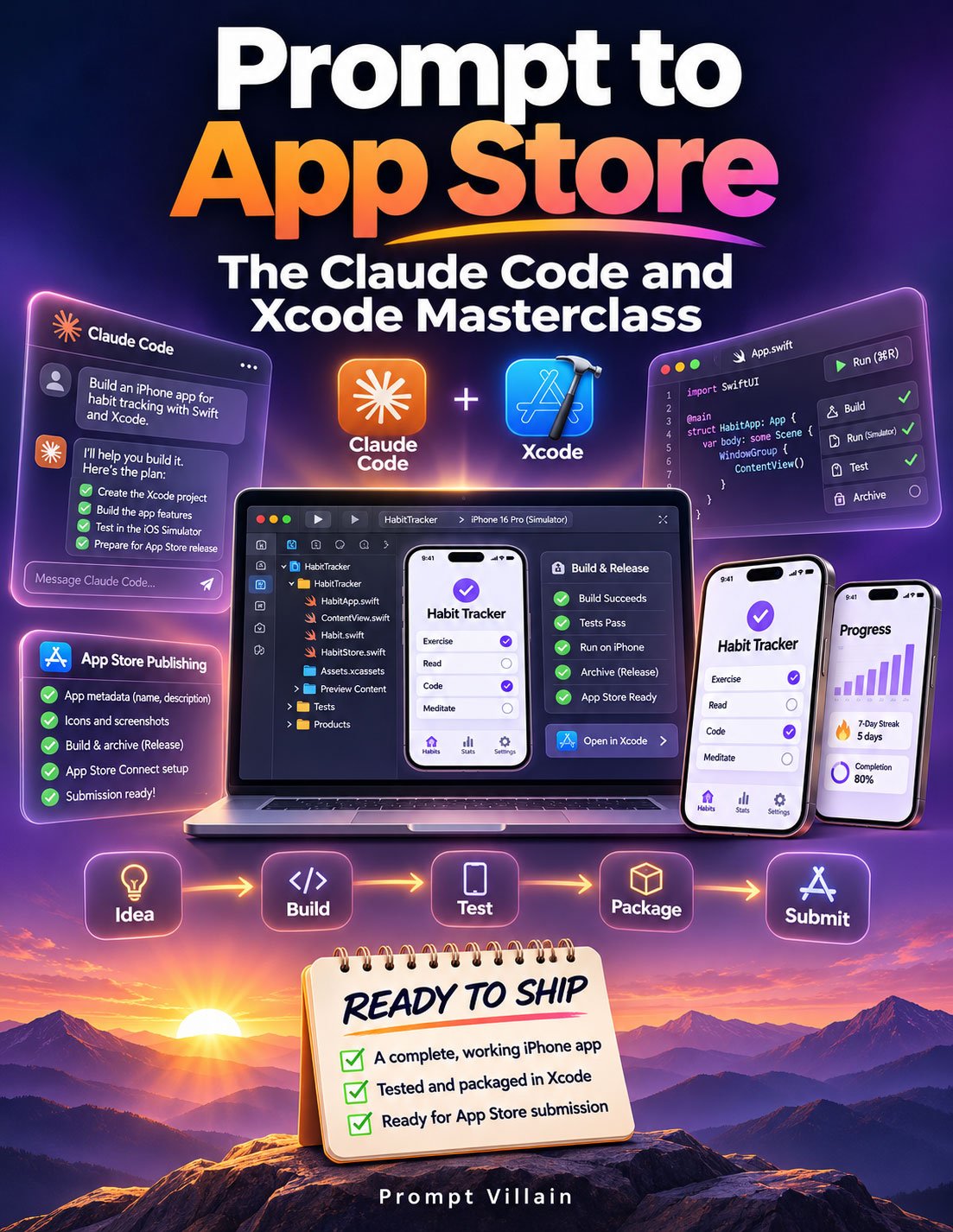
And Prompt to App Store: The Claude Code and Xcode Masterclass shows you how to put these tools together.
Stop Waiting Until You Know How to Code.
You've probably had an app idea at some point.
Maybe it's a productivity tool you've always wanted.
A habit tracker that does something other trackers don't.
A simple timer.
A specialized calculator.
A tool designed for a particular profession.
Or an everyday utility that could make someone's life just a little easier.
The idea itself isn't necessarily complicated.
Turning it into a working iPhone app has always been the intimidating part.
You'd need to learn Swift.
Understand Xcode.
Build screens and navigation.
Figure out how to save information.
Test everything on different devices.
And somehow navigate Apple's App Store submission process.
That's a lot to learn before you even see your idea working.
Now there's a more approachable way to begin.
With Claude Code as your AI coding assistant and Xcode as your development environment, you can start building useful iPhone applications from plain-English instructions.
You don't have to write every line of code yourself.
You do need to understand what you're trying to build, test the results, and make the decisions that turn an experiment into a finished product.
That's exactly what this guide teaches.
From Your First Prompt to Your First App Store Submission
Prompt to App Store is a practical, beginner-friendly guide to building native iPhone apps with Claude Code, SwiftUI, and Xcode.
It takes you through the process of creating a project, developing your first screens, testing the app, adding native iPhone features, and preparing it for Apple review.
Instead of overwhelming you with programming theory, the guide focuses on the steps required to get something working.
You'll learn how to tell Claude what you want, evaluate its work, troubleshoot problems, and move forward without needing to become a programming expert first.
What's Inside Prompt to App Store?
1. Understand How Claude Code and Xcode Work Together
Discover the tools that make AI-assisted iPhone development possible.
Learn what Xcode, SwiftUI, the iPhone Simulator, and Claude Code actually do.
Understand how Claude can help create and edit your application's code while Xcode builds, runs, and tests the results.
2. Choose an App Worth Building
Not every app idea is a good first project.
Learn how to identify applications that are small enough to finish but useful enough to deliver real value.
Explore 10 beginner-friendly iPhone app ideas, including habit trackers, focus timers, recipe tools, time trackers, and specialized reminders.
You'll also learn how to write a focused app brief and avoid common problems that can lead to App Store rejection.
3. Set Up Your Mac for iPhone Development
Get practical instructions for installing Xcode, creating your first SwiftUI project, and opening it in Claude Code.
Learn how to work with your project files, run an app in the iPhone Simulator, and ask Claude to explain technical details in plain English.
4. Build Your First Native iPhone App
Follow a step-by-step development workflow using a practical focus-timer application.
Learn how to build your main screen, add navigation, save information, and create additional features.
You'll explore useful native iPhone capabilities such as:
- Home-screen widgets
- Local notifications
- Dark mode
- Haptic feedback
- Charts and progress tracking
- Accessibility features
And you'll learn how to test what Claude builds rather than simply assuming it works.
5. Test Your App Like an Apple Reviewer
A working app isn't necessarily a finished app.
Learn how to look for crashes, broken features, confusing interfaces, accessibility problems, and other issues that can affect the user experience.
Discover why testing on a real iPhone matters, even when everything looks perfect in the Simulator.
6. Prepare Your App Store Listing
Building the software is only part of the process.
Learn what you'll need to prepare for an App Store submission, including your app name, description, screenshots, icon, category, privacy policy, and App Privacy information.
You'll also learn how Claude can help prepare accurate store descriptions and supporting materials based on your application's actual features.
7. Use TestFlight and Submit for Apple Review
Discover how to prepare a release build in Xcode, upload it through App Store Connect, and invite testers using TestFlight.
Learn how to collect feedback, make improvements, and submit your application for Apple's review.
And if your app gets rejected, you'll learn how to understand the feedback and work through the necessary changes.
8. Learn What Happens After Launch
Your first app is just the beginning.
Discover practical ways to attract initial users, respond to reviews, improve features, and keep your application compatible with new iOS releases.
You'll also explore potential future income models, including paid apps, in-app purchases, subscriptions, and custom app development services.
Includes a Practical 14-Day Action Plan
You won't have to wonder what to work on next.
The guide includes a structured development plan to help you move from your first project to App Store submission preparation.
Days 1–2: Install Xcode, create your project, write your app brief, and begin building with Claude Code.
Days 3–5: Add screens, navigation, notifications, and a home-screen widget.
Days 6–7: Polish your app, check accessibility, and test on a real iPhone.
Days 8–12: Set up your developer account, prepare App Store Connect, and test through TestFlight.
Days 13–14: Finalize screenshots, descriptions, privacy details, and prepare your app for submission.
The timeline is a practical working plan, not a guaranteed completion or approval schedule. More complicated projects and Apple's review process may require additional time.
Follow a Complete iPhone App Example
The guide also walks through the creation of Calm Focus, a simple productivity application with a focus timer, progress statistics, settings, and a home-screen widget.
You'll see how the project develops over two weekends.
From creating the first screen to handling notifications, fixing bugs, adding accessibility features, and preparing for TestFlight.
You'll also see why the small decisions matter.
How should the timer behave when the phone is locked?
What happens when notification permissions are denied?
Will the interface work with larger text sizes?
Does the app feel comfortable to use on a real device?
These are the details that separate a rough experiment from an application people can actually use.
Claude can help with the programming. Your judgment makes it a better product.
Who Is This Guide For?
Complete beginners: You want to build an iPhone app but have little or no programming experience.
Entrepreneurs: You have software ideas you'd like to test without hiring a development team immediately.
Digital creators: You want to expand beyond ebooks, templates, and static products into functional applications.
Freelancers: You're interested in developing mobile software skills that could eventually support client projects.
Business owners: You see opportunities to build specialized tools around your work or industry.
Aspiring app publishers: You want to understand the actual journey from idea to native iPhone app and App Store submission.
Important: You'll need a compatible Mac for Xcode. An Apple Developer Program membership is required for App Store distribution, and Claude Code access may involve subscription or usage charges.
Your First App Doesn't Need a Thousand Features.
It Needs a Reason to Exist.
One of the biggest mistakes new app creators make is trying to build something enormous.
A social network.
An all-in-one productivity platform.
A complicated subscription service.
A dozen features nobody has tested.
Then the project becomes overwhelming before the first version is finished.
Prompt to App Store takes a different approach.
Choose one clear problem.
Build a focused solution.
Make it useful.
Make it reliable.
Make it feel like it belongs on an iPhone.
Then test it with real people.
A small, polished app that works is worth more than a giant idea that never gets finished.
Think About What You Could Build Next.
Once you've completed your first application, the possibilities become much easier to explore.
You could create specialized tools for your own business.
Build utilities around your hobbies or interests.
Experiment with educational applications.
Create productivity tools for specific professions.
Or develop a portfolio of useful applications that you continue improving over time.
Some developers eventually turn their projects into paid products or client services.
There are no guarantees of income, downloads, or App Store approval.
But there is a valuable skill to develop:
The ability to take an idea, direct its development, and turn it into working software.
And you can start learning that process now.
Your App Idea Has Been Sitting There Long Enough.
You don't need to wait until you've mastered an entire programming language.
You don't need to understand every technical detail before getting started.
And you don't need to hire someone simply to find out whether your idea can work.
You need a manageable project, the right development tools, and a practical process to follow.
Prompt to App Store gives you that process.
Inside this 17-page digital guide, you'll discover:
- Eight practical chapters covering native iPhone app development
- 10 beginner-friendly app ideas
- Step-by-step Claude Code and Xcode instructions
- A complete SwiftUI app-building walkthrough
- Guidance for native iPhone features and accessibility
- Real-device testing and troubleshooting methods
- App Store Connect and TestFlight instructions
- Reusable prompts for building, fixing, and reviewing your app
- A structured 14-day development plan
- A worked example from initial concept through submission
- Troubleshooting for common Xcode and App Store problems
From Plain-English Prompts to a Real iPhone Application.
Get Prompt to App Store: The Claude Code and Xcode Masterclass
This guide is an independent educational resource and is not affiliated with or endorsed by Apple or Anthropic. Building iPhone apps requires a compatible Mac and appropriate development tools. App Store distribution requires an eligible Apple Developer Program membership. Features, fees, review policies, and tool requirements may change. App approval, publishing timelines, and financial results are not guaranteed.